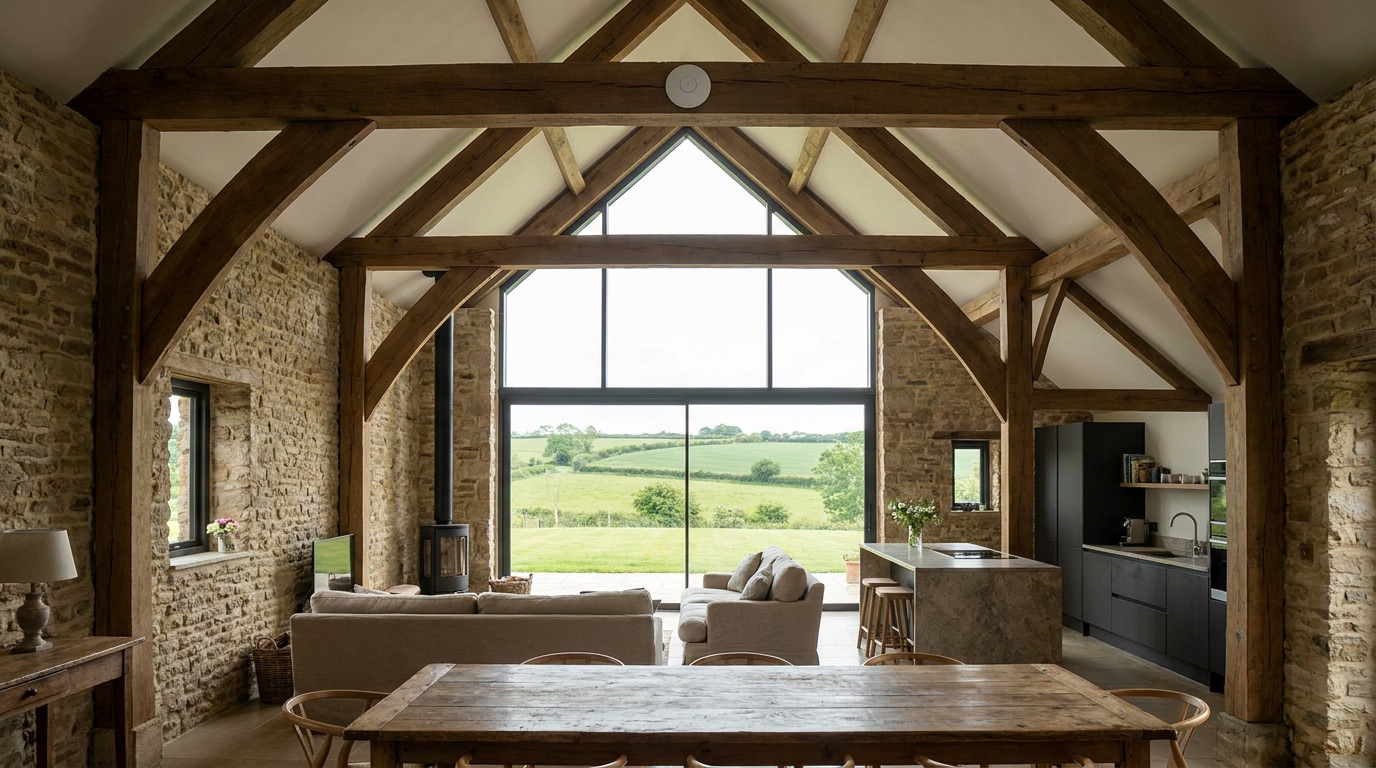
A stone barn or a listed farmhouse is one of the loveliest places to live and work in rural England — and one of the hardest places to get reliable WiFi. The very features that make these buildings special (thick stone walls, deep window reveals, exposed oak beams) are the same features that stop a wireless signal in its tracks. Getting whole-property coverage here isn't a shopping problem; it's an engineering one.
Why stone and listed buildings defeat ordinary WiFi
A typical home router is designed for a modern brick-and-plasterboard house, where a signal can pass through internal walls with only modest loss. A converted barn breaks every one of those assumptions.
- Walls up to 600mm thick. Solid stone absorbs radio signal far more aggressively than a stud wall. One or two of these walls between the router and your laptop can be enough to kill a 5GHz connection completely.
- Mullioned and leaded windows. The stone mullions and, in some cases, the metal in leaded glass reflect and scatter signal rather than letting it pass cleanly.
- Exposed beams and vaulted ceilings. Dense structural oak and split-level layouts create shadows where the signal simply cannot reach.
- Listed-building restrictions. You often cannot drill freely, run visible surface cabling, or alter fabric without consent — so the "just run a cable through the wall" answer isn't always available.
The result is the classic rural pattern: strong WiFi in the room with the router, and a dead zone everywhere else.
Why a single consumer router never works here
People often try to fix a barn with a bigger router or a plug-in extender, and it rarely holds up. A single router can only push so much power (it's legally capped anyway), and a basic extender simply repeats a weak signal — halving throughput and adding lag. Neither can defeat 600mm of stone. The honest answer is that whole-building coverage in a barn needs a properly designed network, not a single clever box.
What actually works
One access point per zone
Instead of one router shouting through the walls, we place several smaller access points — one in each area that needs coverage. Each one only has to cover its own zone, so it delivers a strong, fast signal without fighting through stone. They share one network name, so your phone or laptop moves between them seamlessly.
Wired backhaul wherever possible
The gold standard is to link those access points back with a network cable (wired "backhaul") using a system such as UniFi/Ubiquiti or TP-Link Omada. A wired link means each access point gets full-speed internet, and the coverage stays rock-solid. Where the building fabric or listing makes new cabling impractical, we look at discreet routes — existing conduit, floor voids, or a short external run — and only use wireless links between zones where cabling genuinely isn't an option.
A wireless bridge to outbuildings
For a detached annexe, stable block, home office or holiday let across the yard, we can use a point-to-point wireless bridge — a small pair of antennas that beam the connection from the main building to the outbuilding. No trenching across the courtyard, no digging up the drive.
Conservation-aware, removable mounts
On a listed or characterful building we mount equipment so it respects the fabric: using existing fixings where possible, choosing removable brackets, and routing cable along mortar lines or behind existing timber rather than cutting into stone. The aim is a network you can't really see and that leaves no lasting mark.
Frequently asked questions
Do you need to drill into the stone?
Usually far less than people expect, and often not into the stone at all. We favour existing routes, mortar joints, and removable fixings. On listed buildings we plan the least-intrusive approach and discuss anything structural with you first.
Will it actually cover the whole barn and the annexe?
That's the goal, and it's why we design around zones rather than one router. Every property is different, which is exactly why we start with a £99 Network Health Check to see what the walls and layout demand.
Is this suitable for a listed building?
Yes. We work conservation-aware — removable mounts, discreet cable routes, and respect for the fabric. Where consent may be relevant, we'll flag it so you can check before we proceed.
How many access points will I need?
It depends on the number of zones, wall thicknesses and layout. Some barns need two; a larger multi-level conversion with outbuildings may need several. The survey tells us exactly.
Can you hide the cabling?
In most cases, yes — along beams, mortar lines, floor voids and existing routes. Where a run has to be visible, we keep it neat and unobtrusive.
If your barn or listed home has rooms the WiFi never reaches, start with our £99 Network Health Check — a full assessment of your coverage, credited in full against any work you go ahead with. Call Ricardo on 07862 441924 or book a £99 Network Health Check online, and we'll map out exactly what your building needs.